
Identify what happened and what facts matter.
Files are not available yet
Email us to ask
Editable templates
Made for U.S. small businesses
issue signal
Google Workspace Suspension Organizer
Technology issue active
Business owner search
How do I fix Google Workspace suspension?
Collect the evidence, details, and wording.
Use the workflow, script, and tracker.
Guided resolution
Appeal evidence plan
Technology
Google Workspace Suspension Organizer Kit
Organize a Google Workspace suspension by the path Google's help pages describe: billing, reseller, one user, or abuse.
- PDF guide with a clear walkthrough
- Emergency checklist for the first actions
- Copy-paste scripts or templates
- Tracker or worksheet for follow-through
PDF guideEditable DOCXAction trackerChecklistScripts
Not for sale yet
It is coming soon. It is not for sale yet. Use the Email us about this kit button and we'll tell you when it's ready.
This kit joins All-Access when it launches. It is not included today.
Questions before you buy? Email us.
Built by an operatorMeet the founder
Actionable & practicalNo fluff. Just what works.
Start in the first hourEmergency checklist up front
Not for sale yetEmail us and we'll tell you when it's ready
Product preview
See the kit at a glance.
These previews show the guide, templates, and tracker this kit is built to include. The files are not available until the kit is ready.
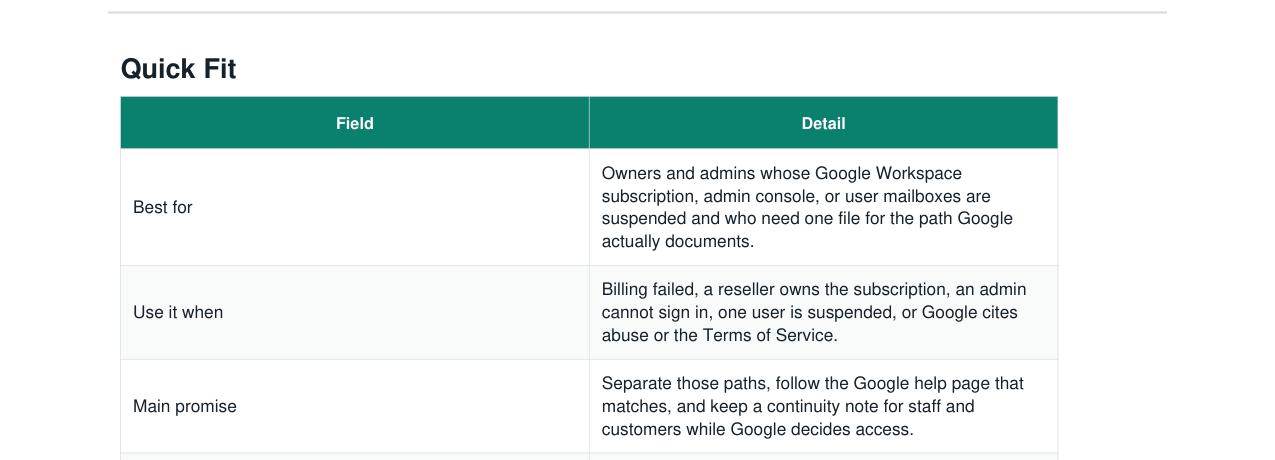
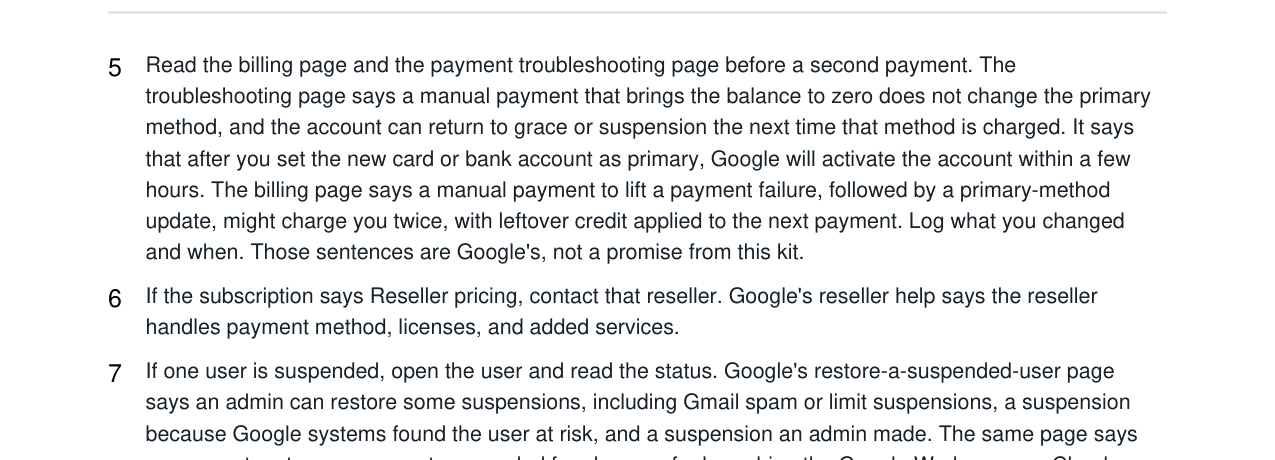
- Step-by-step PDF guide written for this exact problem
- Editable templates and scripts in Word
- A working tracker in Excel or Google Sheets
- Included files: keep the packet with the notice
Who it is for
Built for the exact moment this starts costing money, trust, or time.
Owners and admins whose Google Workspace subscription, admin console, or user mailboxes are suspended and who need one file for the path Google actually documents.
This helps when
- telling a billing suspension apart from a reseller plan, an admin lockout, a user suspension, and a Terms of Service suspension
- reading the grace-period date from the Admin console instead of inventing one
- keeping a single staff note so people do not open personal mailboxes for customer files
- stopping a restore chase when Google's own help says the account cannot be restored
- filing the support case id and the secondary email where Google says domain notices go
What this solves
A practical path from “what do I do now?” to a clear next action.
Use the guide, scripts, and tracker to organize the facts, choose the next move, and keep follow-up from slipping.
What you will be able to do
- One path and the help page that matches it.
- One internal note and one customer note, if customers are waiting.
- A log that shows what you changed and when.
How each file is used
- Read the paths and the Google pages before a payment or a Reactivate click.
- Checklist, matrix, and continuity scripts.
- The banner, the grace date, the case id, and the test.
Included inside
- Step-by-step operating guide
- Emergency first-action checklist
- Copy-paste scripts or templates
- Tracker or worksheet for follow-through
Operations
Related kits
Three other kits for this kind of problem.
 Live now
Technology
Expired Domain Email + Website Outage Recovery Kit
Recover an expired-domain or DNS outage that takes down website, email, forms, checkout, or customer links.
View kit Live now
Technology
Website Malware + Blacklist Recovery Kit
Recover from malware warnings, blacklist flags, host suspensions, SEO spam, and hacked-site cleanup without losing evidence or customer trust.
View kit
Live now
Marketing Ops
Email Domain Authentication + Deliverability Recovery Kit
A practical kit for small businesses whose domain email is failing SPF, DKIM, DMARC, or inbox placement checks.
View kitFAQ
Common questions about this kit.
Who is the Google Workspace Suspension Organizer Kit for?
Owners and admins whose Google Workspace subscription, admin console, or user mailboxes are suspended and who need one file for the path Google actually documents.
What's included in the Google Workspace Suspension Organizer Kit?
The kit is built as a step-by-step PDF guide, editable Word templates, and a tracker for follow-through when it helps. Those files are not available on this page yet.
Can I buy this kit today?
Not yet. It is coming soon. It is not for sale yet. Use the Email us about this kit button and we'll tell you when it's ready. It does not start checkout, and there is no charge.
How will I know when the Google Workspace Suspension Organizer Kit is ready?
There is no checkout on this page yet. Use the Email us about this kit button and we'll tell you when it's ready.
Can I reuse it whenever the problem comes up again?
Yes. Use it across your own business as many times as you need. Please do not resell or redistribute the files.
Does this guarantee an outcome?
This is an organizing toolkit. Google decides whether service returns. The kit does not restore an account, a mailbox, or a file.
Important fit note
Clear guidance, not false certainty.
This is an organizing toolkit. Google decides whether service returns. The kit does not restore an account, a mailbox, or a file.