
Identify what happened and what facts matter.
Instant download
Lifetime access
Editable templates
Made for U.S. small businesses
issue signal
Renewal form is here
Answers need files
Business owner search
How do I fix renewal form is here?
Collect the evidence, details, and wording.
Use the workflow, script, and tracker.
Guided resolution
Worksheet and evidence folder
Cybersecurity
Cyber Insurance Renewal Questionnaire + Evidence Kit
In the first hour: save this year's form and last year's answers, and leave every answer unmarked until the file is in the folder. Organizing and record-keeping only. Answer only what is true today. Your broker, carrier, and IT provider decide what counts.
- This year's form and last year's answers before anyone marks a row
- Question worksheet with confirmed, partly true, and not true
- IT evidence request, restore test record, and EDR gap flag
- Gap plan and a broker cover note that names the gaps you logged
PDF guideWord playbookExcel control centerSTART-HERE.txt
Recommended
$6,837 total retail value, all 153 kits one at a time.
All-Access ($29/mo founding) includes every kit download while you stay subscribed.
Best valueAnnual founding $290/yrFounding Member rate, locked for life. After the founding window closes, the price rises to $39/mo for new members.
Instant download: PDF guide, editable templates, and tracker. Secure Stripe checkout.
Digital kits. Yes. If the kit doesn't give you a clearer next step on your problem, email us within 7 days of purchase with your order ID and we'll refund you. Membership has its own 30-day money-back guarantee on the first payment.
All-Access membership. Cancel anytime. Your first membership payment is covered by a 30-day money-back guarantee: email us within 30 days of your first payment with your order ID. Renewal payments are not refundable once charged, but cancelling stops future renewals.
Questions before you buy? Email us.
One-time purchaseYours to keep and reuse
Your filesEach answer waits for a file name, an owner, and an as-of date
Your dateDays left read the renewal date you type
Form winsA quoted page is not a deadline this kit invented
Product preview
See the kit at a glance.
Real pages from the actual kit you download, not a mockup. Every kit includes the step-by-step PDF guide, editable Word templates, and a working spreadsheet.
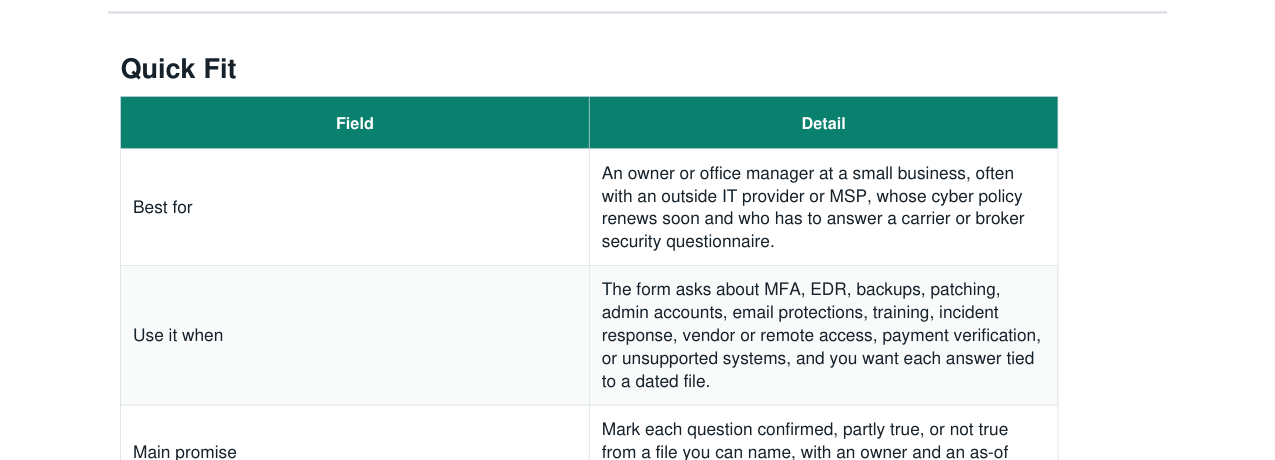
- Exactly four buyer files in the ZIP
- Nine Guide scripts in the Word playbook
- Status words in the dropdowns match the Dashboard counts
- No answer picked for you, and no coverage result
Who it is for
Built for the exact moment this starts costing money, trust, or time.
An owner or office manager at a small business, often with an outside IT provider or MSP, whose cyber policy renews soon and who has to answer a carrier or broker security questionnaire.
If the question is a vendor bank change, the callback file is the Vendor ACH Change Fraud Verification Kit.
If an incident is open, the notice file is the Customer Data Breach Notification Response Kit.
If the policy was cancelled or non-renewed, the reinstatement file is the Business Insurance Cancellation + Reinstatement Kit.
This helps when
- The form is not in hand yet, and last year's answers are in someone's email.
- Someone is about to mark a question from memory.
- IT or the MSP has the exports, and nobody has asked for them in a dated file.
- A question is only partly true, and it needs an owner and a due date instead of a hedged sentence.
- A restore test has never been written down: what was restored, when, who, and the time taken.
- The device inventory and the EDR list are two different lists.
- A gap will still be open on the day you send the form, and the broker has not been told.
- Next year will be the same scramble unless a monthly folder exists.
- The AI Security Questionnaire Answer Kit is for questions about AI tools. If this form also asks about AI, leave those questions out of this worksheet and keep them on that kit. This kit does not rewrite that answer bank.
- The Vendor ACH Change Fraud Verification Kit is the callback file for a payment change. If a question asks how bank detail changes are checked, the evidence file is that kit's log. This kit records the file name. It does not rebuild the callback.
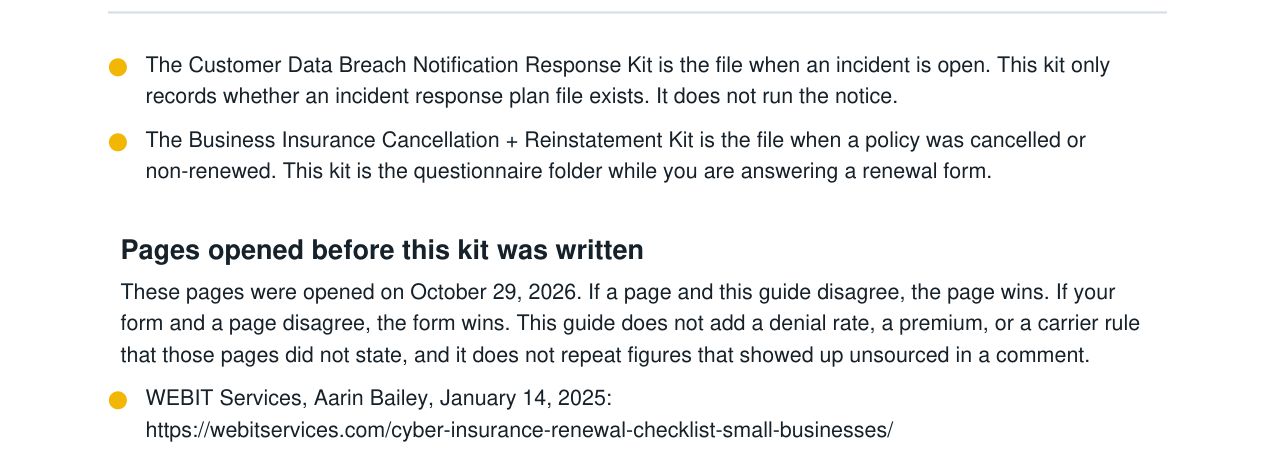
- The Customer Data Breach Notification Response Kit is the file when an incident is open. This kit only records whether an incident response plan file exists. It does not run the notice.
- The Business Insurance Cancellation + Reinstatement Kit is the file when a policy was cancelled or non-renewed. This kit is the questionnaire folder while you are answering a renewal form.
What this solves
A practical path from “what do I do now?” to a clear next action.
Use the guide, scripts, and tracker to organize the facts, choose the next move, and keep follow-up from slipping.
What you will be able to do
- A folder plan and a stop list for the incident, cancellation, AI, and payment files.
- One message with the brackets replaced.
- Days left, statuses, open gaps, and EDR gap flags from the rows you type.
How each file is used
- See the boundary, the control files the opened pages describe, the worksheet method, and the fictional print shop example.
- Send the broker request, the IT request, the staff notes, the restore request, the cover note, and the sign-off.
- Type questions, files, MFA rows, devices, restore records, admins, gaps, broker messages, and the monthly calendar.
Included inside
- PDF guide with the opened pages, the control files, and a labeled example
- Word playbook with nine scripts for the broker, IT, staff, and the signer
- Excel control center with live formulas, dropdowns, and a Dashboard of rows you type
- START-HERE.txt that says which file to open before you mark a question
Banking & insurance
Related kits
Three other kits for this kind of problem.
 Live now
Vendor Ops
Vendor ACH Change Fraud Verification Kit
A practical kit for vendor bank-change requests, ACH fraud risk, and callback verification before AP releases a payment update.
View kit
Live now
Cybersecurity
Customer Data Breach Notification Response Kit
Turn a cyber incident into a controlled containment and notice process with one timeline, one proof file, and one list of control fixes.
View kit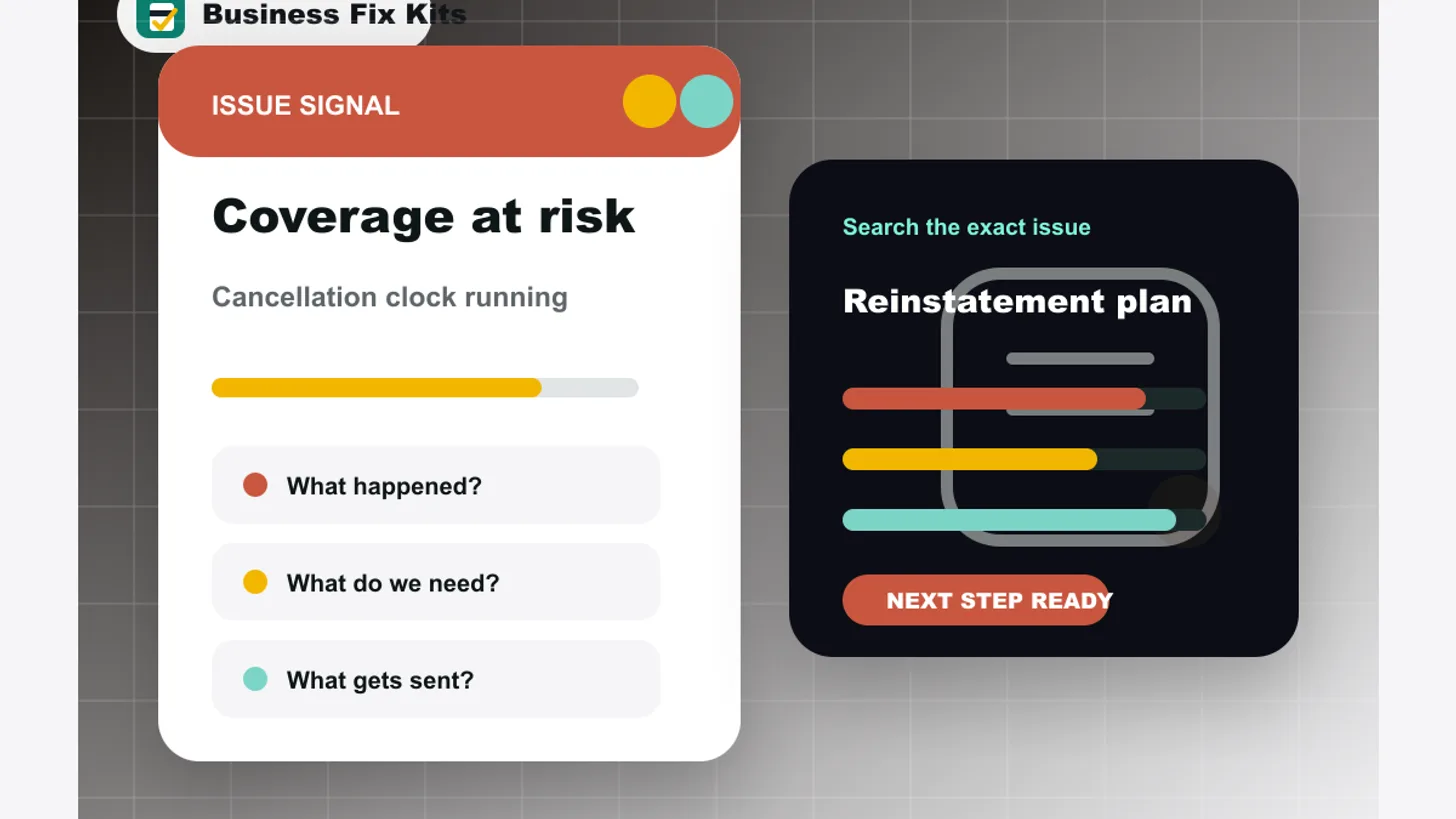 Live now
Insurance Admin
Business Insurance Cancellation + Reinstatement Kit
A practical kit for cancellation notices, non-payment warnings, and proof-of-coverage gaps.
View kitFAQ
Common questions about this kit.
Who is the Cyber Insurance Renewal Questionnaire + Evidence Kit for?
An owner or office manager at a small business, often with an outside IT provider or MSP, whose cyber policy renews soon and who has to answer a carrier or broker security questionnaire.
What's included in the Cyber Insurance Renewal Questionnaire + Evidence Kit?
Exactly four buyer files: a PDF guide, an editable Word playbook, an Excel control center, and START-HERE.txt. This file does not tell you how to answer a question.
Is this a one-time purchase or a subscription?
It is a one-time purchase of $39. You download the files and keep them. There is no recurring charge.
How do I get the Cyber Insurance Renewal Questionnaire + Evidence Kit after buying?
Instantly. After secure Stripe checkout you receive a private download link to the complete kit files.
Can I reuse it whenever the problem comes up again?
Yes. Use it across your own business as many times as you need. Please do not resell or redistribute the files.
Can I get a refund?
Yes. If the kit doesn't give you a clearer next step on your problem, email us within 7 days of purchase with your order ID and we'll refund you. Membership has its own 30-day money-back guarantee on the first payment.
Does this guarantee an outcome?
Organizing and record-keeping only. Not insurance, legal, or security consulting advice. This page does not tell you how to answer a question, what coverage to buy, or whether a claim will be paid. Answer only what is true today. Your broker, carrier, and IT provider decide what counts; how you answer is your decision.
Important fit note
Clear guidance, not false certainty.
Organizing and record-keeping only. Not insurance, legal, or security consulting advice. This page does not tell you how to answer a question, what coverage to buy, or whether a claim will be paid. Answer only what is true today. Your broker, carrier, and IT provider decide what counts; how you answer is your decision.
Get all 153 kits for $29/mo, cancel anytime
Secure Stripe checkout. All-Access ($29/mo founding) includes every download.